Automate
Activate after X unique real visitors
Switches the campaign to "Active" after X number of visitors, regardless of the type of visitors and the campaign state.
It doesn't matter if the campaign is "Under review", "Block all" or set to "Allow all", it works for all states.

Block All after X minutes of inactivity
Switches the campaign to "Block all" after X minutes of inactivity (no clicks received).

When you are using "Activate after X unique real visitors" in conjugation with "Block All after X minutes of inactivity", your campaign will reactivate after the specified number of clicks, regardless of their type (real visitor or reviewer, bot, etc).
Consider this scenario:
Your AdWords ad account receives no traffic for 20 minutes, it's pretty obvious that your account is going through a manual review, and it makes sense to block all traffic (send to safe page) after this specific duration of 20 minutes, until your campaign receives 5 clicks.
Example
Let's say your campaign doesn't receive traffic for 10 hours (600 minutes), we can assume it's under manual review in the ad network.
Now during this period, it will mostly receive traffic from reviewers. The reviewer can be a crawler, bot, human reviewer, spy tool scraper etc.
If the campaign is under manual review in the ad network, it's possible that the campaign will be visited by a reviewer that is not known to FraudFilter. If you don't want to take a chance with the ad account, you can use this configuration:
Block All after X minutes of inactivity = 300 minutes
Activate after X unique visitors = 100 clicks
This configuration will set the campaign to "Block All" status after 300 minutes of inactivity (no visitor received in 300 minutes).
And it will set the campaign status to "Active" again after 100 unique visitors. You can tune these parameters according to your requirements.
Frequency Cap
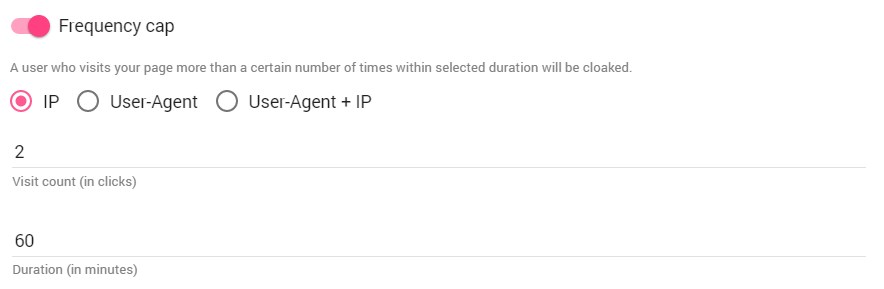
Cloaks any user who visits your page more than a certain number of times within selected duration.