JavaScript Paste
Make sure you've read this article to find which method fits your requirement.
This code is suitable for HTML pages (the ones you deploy on CDNs or web servers) and it can be used only if you own the safe page.
It's the simplest way to implement FraudFilter and you only have to paste a JavaScript code snippet in your safe page.
It's quite similar to the way Google Analytics is implemented.
Some of the features like AdPlexity Filter and TimeZone condition only work with the JavaScript integration. They will not work with the PHP integrations.
NOTE: We recommend you use it with a custom domain to avoid footprints: https://docs.fraudfilter.io/kb/custom-domains/ . Moreover, you can change the script name (with extension .js) in the URL per your choice.
Create a campaign
1. Create a new campaign, specify the title and the traffic source.

Choose "Others" if your desired traffic source is not in the drop down list. Folder, Tags and Notes are used for organising and grouping your campaigns.
2. Campaign status defaults to "Under review", so we don't have to change anything here.
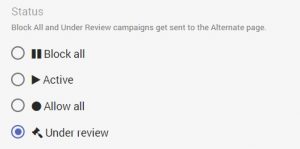
Campaign states are explained here: https://docs.fraudfilter.io/kb/campaign-states/
Edit campaign
The types of pages are explained here: https://docs.fraudfilter.io/kb/glossary/
1. Money page - where we send legit visitors.
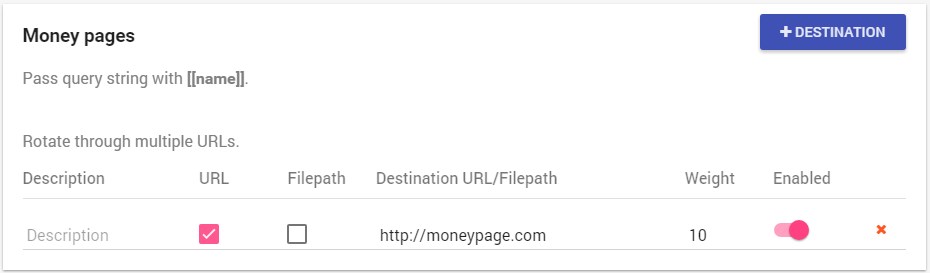
You can use the "Weight" feature for split testing: https://docs.fraudfilter.io/kb/weights/
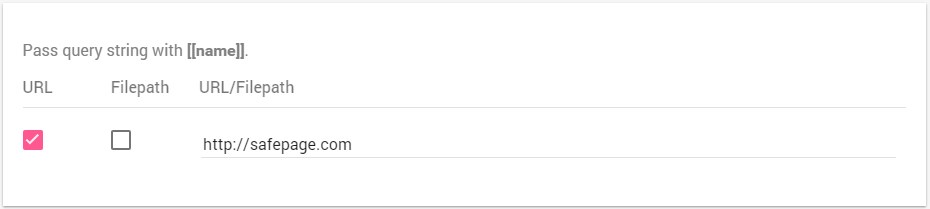
2. Safe page - where we send human reviewers, bots, crawlers and spy tools.
****
Filepaths do not work with JavaScript. Only redirects are possible!
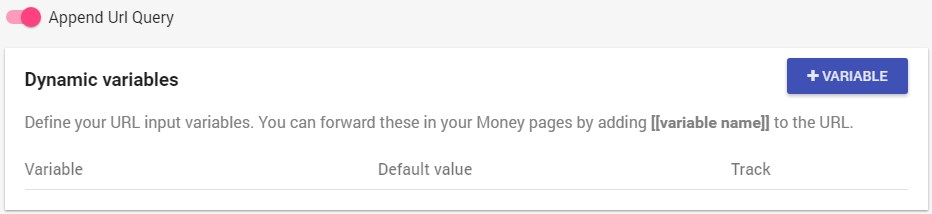
3. Dynamic variables and Append URL Query
Unless you want to track or manipulate the URL query parameters from the cloaked URL to your money page URL, you can leave them on default (disabled).
Dynamic variables work exactly the same way they work in Voluum and are explained in detail here: https://docs.fraudfilter.io/kb/dynamic-variables/
If you only want to integrate a tracker like Voluum, then you can simply use the "Append URL Query" option, to pass the whole URL query string (including tokens/placeholders/variables) to your tracker: https://docs.fraudfilter.io/kb/tracking/
Conditions, filters and Automate
1. Conditions
All conditions are explained here: https://docs.fraudfilter.io/kb/conditions/
Pro Tip: At minimum, we recommend using a country condition.
2. Filters
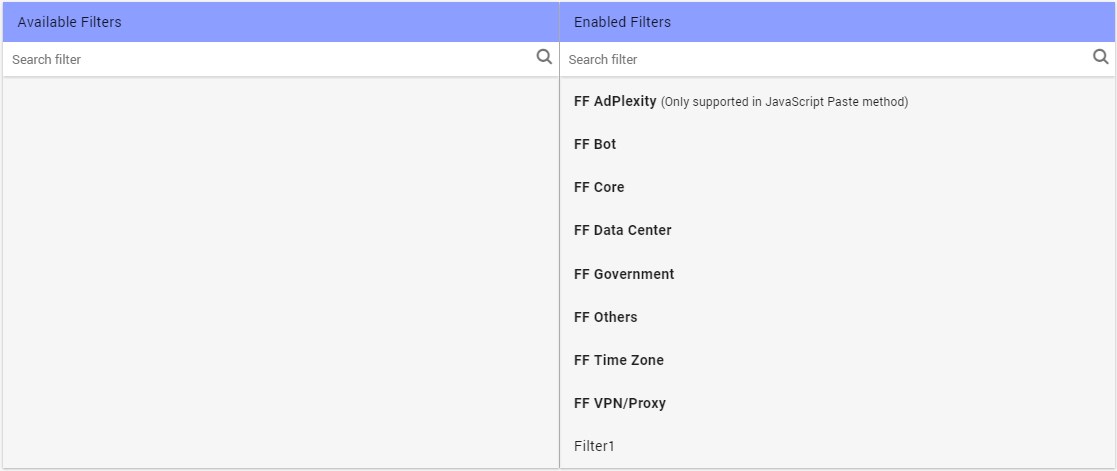
These are the built-in filters - leave them on default (right side) for full protection. You can create your own custom filters, using "Create new filter": https://docs.fraudfilter.io/kb/filters/
3. Automate
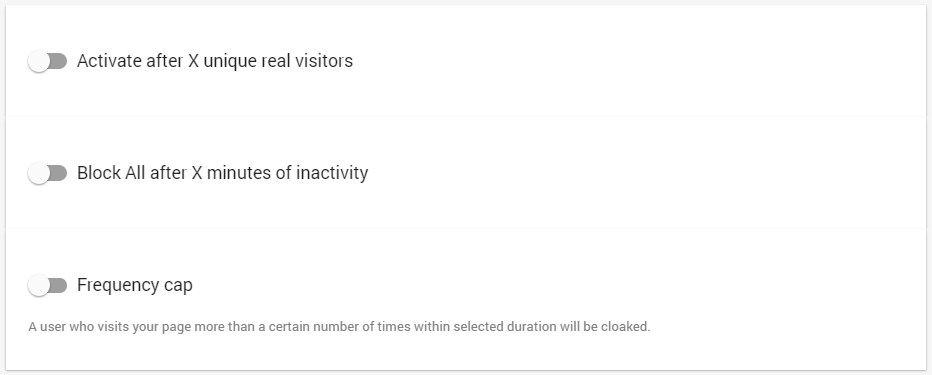
A full description of these options is found here: https://docs.fraudfilter.io/kb/automate/
Integrate the code
1. Press "Create and start integration"
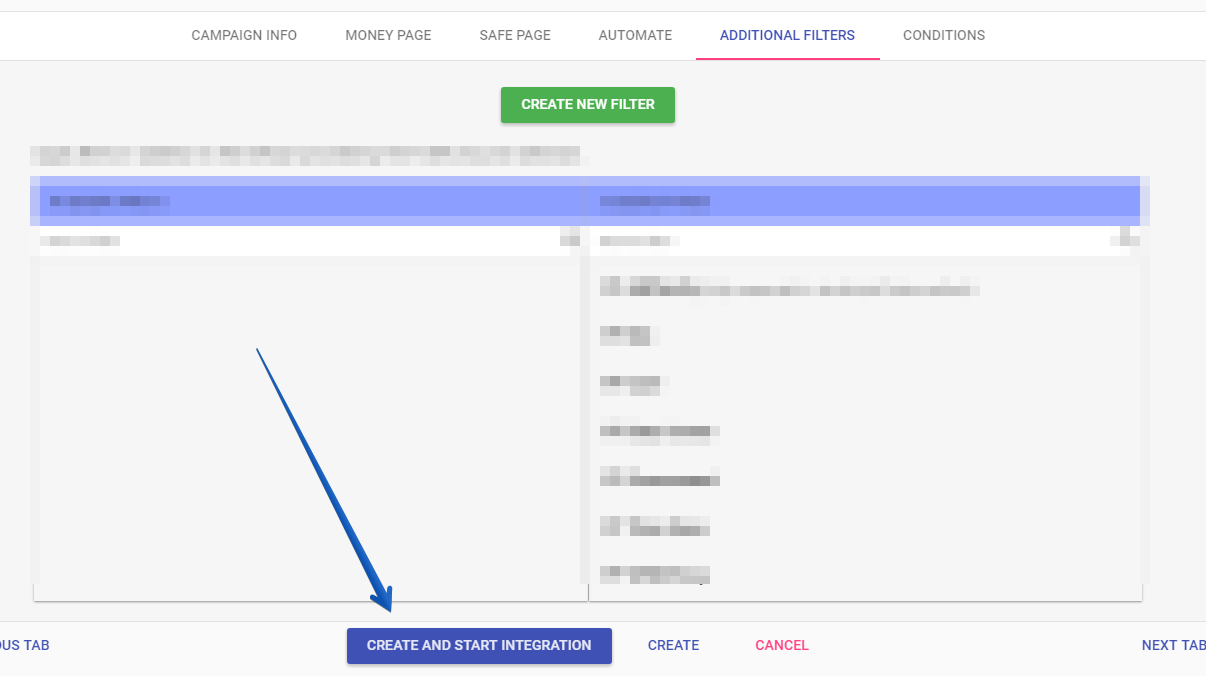
2. There are 4 types of integration. Choose the JavaScript method.
Integration types are explained in detail here: https://docs.fraudfilter.io/kb/choose-integration-method/
JavaScript Paste
1. This JavaScript snippet is added to your safe page. If a visitor is considered safe, a JS redirection to your money page occurs. If not, the visitor remains on your safe page.
Add and select your domain. We recommend you use it with a custom domain to avoid footprints: https://docs.fraudfilter.io/kb/custom-domains/

Copy the JavaScript snippet and paste it between the tags of your safe page:
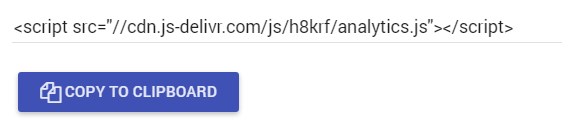
Caution: Please be advised that we recommend testing small sized safe pages with minimum dependencies. Otherwise, it makes the page load time slow.
2. PageGuard
Protect your landing pages from direct hits. This feature is detailed here: https://docs.fraudfilter.io/kb/pageguard/
Test your campaign
Check your safe page's source and make sure you are able to find the JavaScript code youpasted.
Please use this method to test if it's working.
Check click logs to verify your setup
Using click log you can view each click and see where it's going.
Create a campaign in the ad network
Create a campaign in the ad network of your choice: the safe page will be your Display URL and Destination URL.
For AdWords: https://docs.fraudfilter.io/getting-started/adwords-urls
Important Submit your campaign for approval in Under review state! Once approved, switch the campaign to Active. Reviewers will always see the safe page and real visitors will always see the money page.