Append URL Query
This feature is used for passing tracking tokens/variables to your landing page/tracker/affiliate network.
Note: You do not have to use the Dynamic variables to make the tracking work.
Integrate your tracker
In this example, we will be using Voluum but all other trackers can be used in the same way. All trackers track tokens/variables in the same way. Use the tokens provided by your tracker or traffic source.
Let's assume your tracking URL (money page URL) is:
http://track.voluum.pw/6ae2beeb-3a10-452f-a967-f1892bcd30e2?websiteid=[WEBSITEID]&keyword=[KEYWORD]&categoryid=[CATEGORYID]
This is the URL we've copied from Voluum.
The URL of the folder where you've placed the code (destination URL is the URL where you’ve uploaded FraudFilter's PHP code) is:
http://destinationurl.com/c/my-best-campaign
Extract the query string
Take out the URL query string of your URL, everything after '?' including '?', the red text.
http://track.voluum.pw/6ae2beeb-3a10-452f-a967-f1892bcd30e2?websiteid=[WEBSITEID]&keyword=[KEYWORD]&categoryid=[CATEGORYID]
The part we've taken out is: ?websiteid=[WEBSITEID]&keyword=[KEYWORD]&categoryid=[CATEGORYID]
Add tracking URL as money page URL
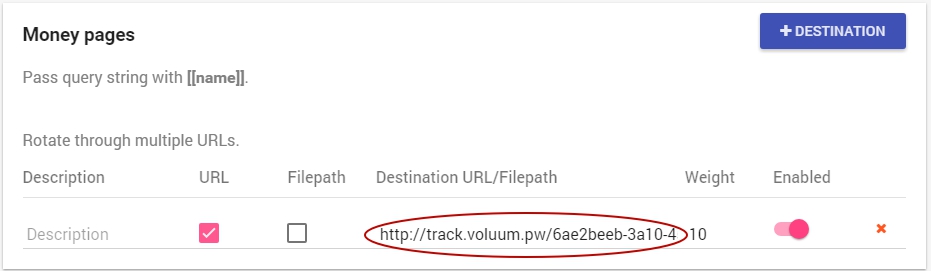
In money page URL put the part before '?', the bold black text from Step1:
http://track.voluum.pw/6ae2beeb-3a10-452f-a967-f1892bcd30e2
Append query string at the end of your destination URL
Append it at the end of the URL of the page where you've placed code.
Before:
http://destinationurl.com/c/my-best-campaign
After:
http://destinationurl.com/c/my-best-campaign?websiteid=WEBSITEID]&keyword=[KEYWORD]&categoryid=[CATEGORYID]
That’s the URL which you need to put in traffic source, it's your ad URL.
Enable “Append Url Query” feature
####
Once you enable it, you need to update your code again:
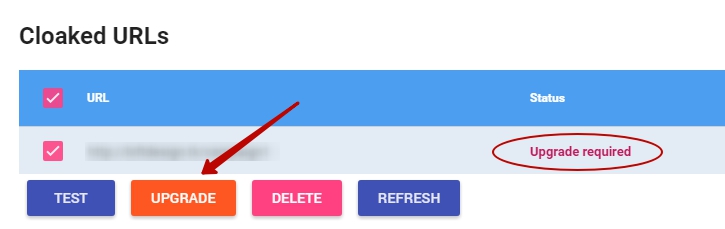
That’s all, now you’ll be able to track your campaigns.
While this is for the money page, you can repeat this for the safe page too if you wish to track it with Voluum!