URL vs Filepath
Where your landing pages are hosted (on the same server as the uploaded PHP code or not) determines whether you can use the "include" method or whether you'll have to use the "redirect" method.
- If the landing page is on the same server as the PHP code, you can use URL (redirect method) or filepaths (include method) for your money pages and safe page.
- If the landing page is hosted on another server, you'll have to use the redirect method, insert full URLs into the money page or safe page fields.
Redirect: https://en.wikipedia.org/wiki/HTTP_302
Include: http://php.net/manual/en/function.include.php
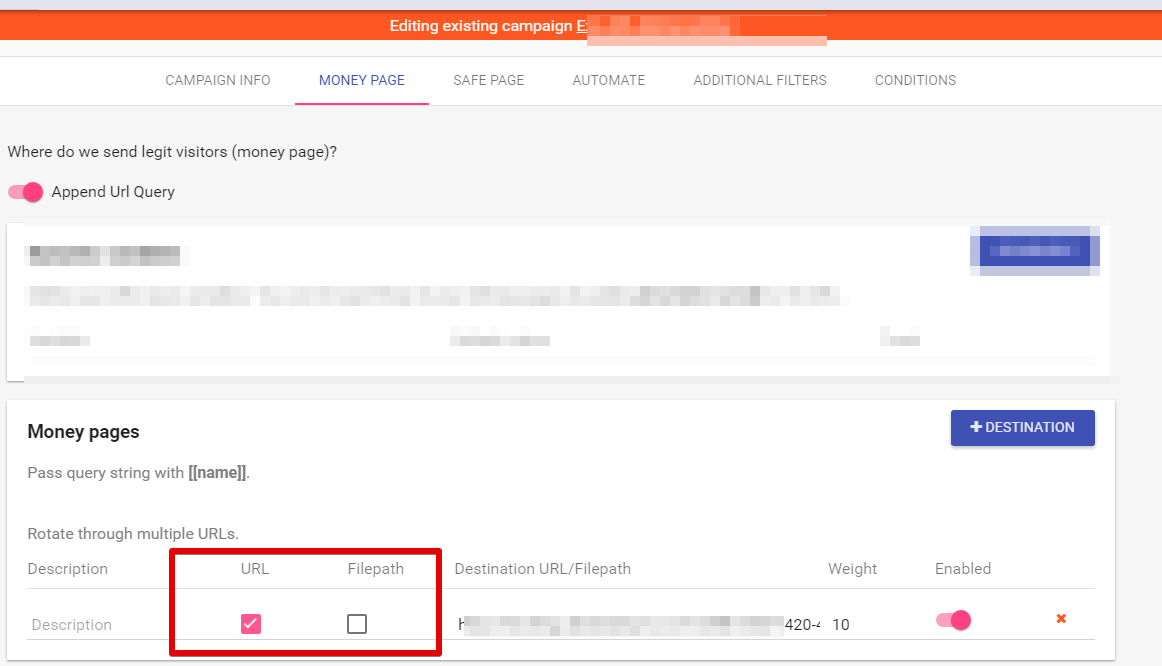
URL - Redirect
You can redirect to any URL, specify the URL (redirect). This URL can be anywhere on the internet, it doesn't have to be on your server.
Filepaths - PHP Include
Filepaths work only for the PHP methods, not for the JS Paste method.
You need to specify the filepath here, not the URL (no redirect). The filepath has a similar form to:
/var/www/app/domain.com/safepage.html or /var/public_html/app/domain.com/safepage.htmlThese are not URLs. The filepath that you've specified must be on the same server where you are uploading the FraudFilter PHP code.
The URL in the address bar will not change when you use this option, it will display both money page and safe page on the cloaked/test URL.
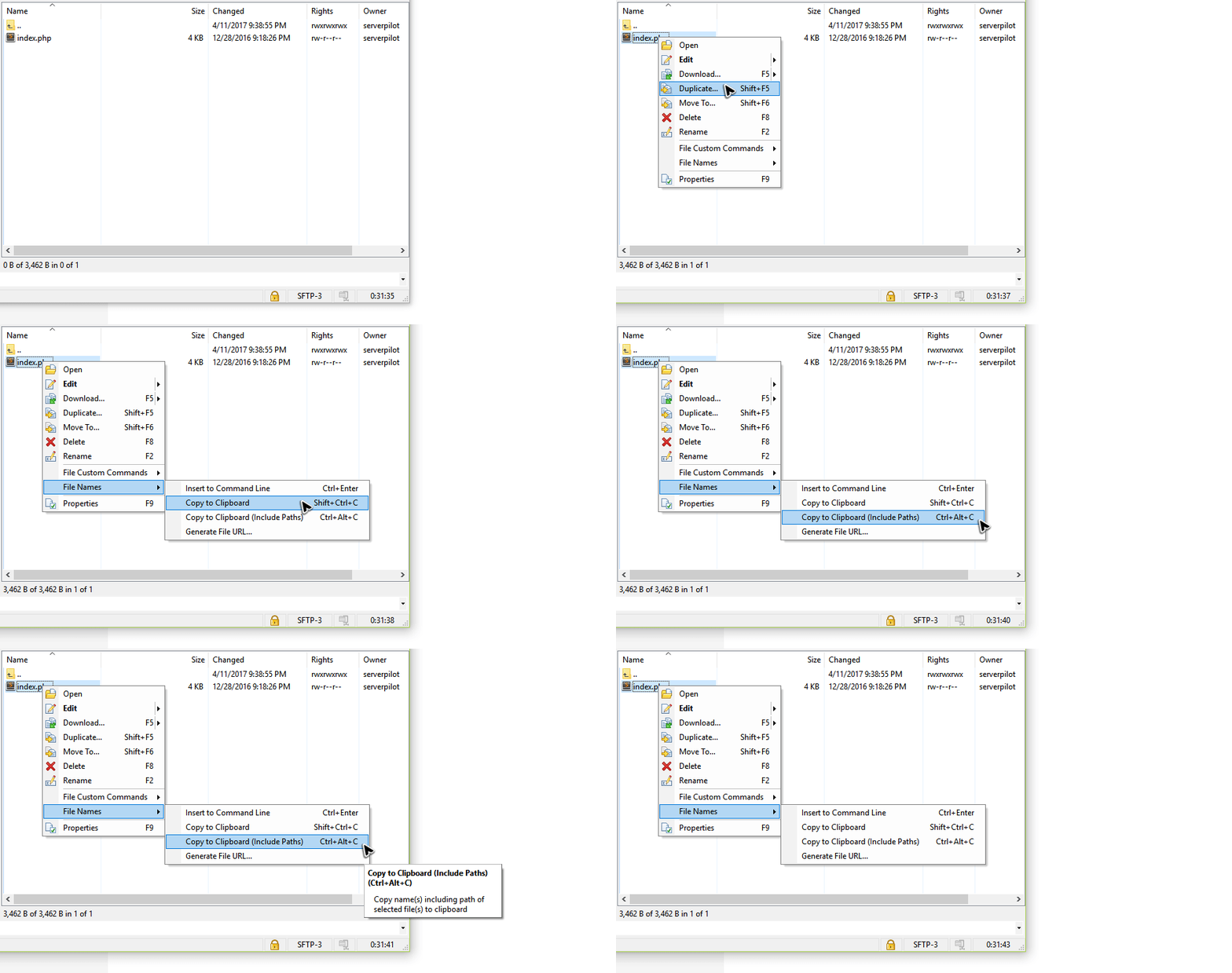
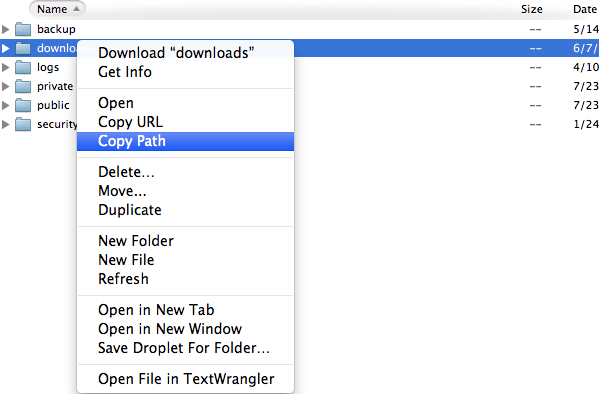
How to find File Path of a File?
The simplest way is to use an SFTP client such as WinSCP on Windows:
Or Transmiton OS X:
Caution:Do not create obvious directory/file names like money page, safe page, fraudfilter, ff, cloak, blackhat etc... Otherwise, you make it easy to guess and find those pages. I would recommend using something cryptic like moneypage-121434467.php etc...
Prevent Direct Access to Money Page
There is nothing stopping a visitor from making direct access to money page by opening its URL in the browser and it bypasses all filtering. Once you've found the money page URL, you can simply Skype it to your friend and you'll not see it your FraudFilter click log.
Once you've found the money page URL, you can simply Skype it to your friend and you'll not see it your FraudFilter click log it bypasses all filtering. We only filter traffic which goes through FraudFilter.
You can solve this issue by using PHP filepath Include or PageGuard.
Pro Tip: If you are using a redirect for the money page then use PageGuard.
When using file path include, there is no need to use PageGuard which only works for the redirects, not file path includes.
Pro Tip:If you are using PHP include, we recommend you this code at the top of your included files to prevent direct access to them:
=')) ? 1 : 0)) { header('HTTP/1.1 404 Not Found'); exit(); } ?>CSS Images not loading after using file path include
This happens because the static assets like CSS, JS or image file paths are referenced relative to the location of your file in your landing pages.
The workaround is to copy and place your affected page along with all its assets inside the downloaded code folder and update your file path in the campaign configuration to reflect the new changes.
###
Caution:When using filepaths, the filepath must exist and be accessible. We suggest you include the files from the same domain. Many hosts do not allow you to include file paths from other domains due to openbasedir or other directory restrictions. If you are using our recommended setup then it's should be possible to include any file as long as it's on the same server.
##